
Connecting Interactive Brokers
Interactive Brokers needs one setting switched on before you connect, and its data runs about a day behind. Here is the setup, step by step.
Before you connect: switch on the service
We connect to Interactive Brokers through our partner SnapTrade, and Interactive Brokers shares your account data with it only once you switch its third-party service on:
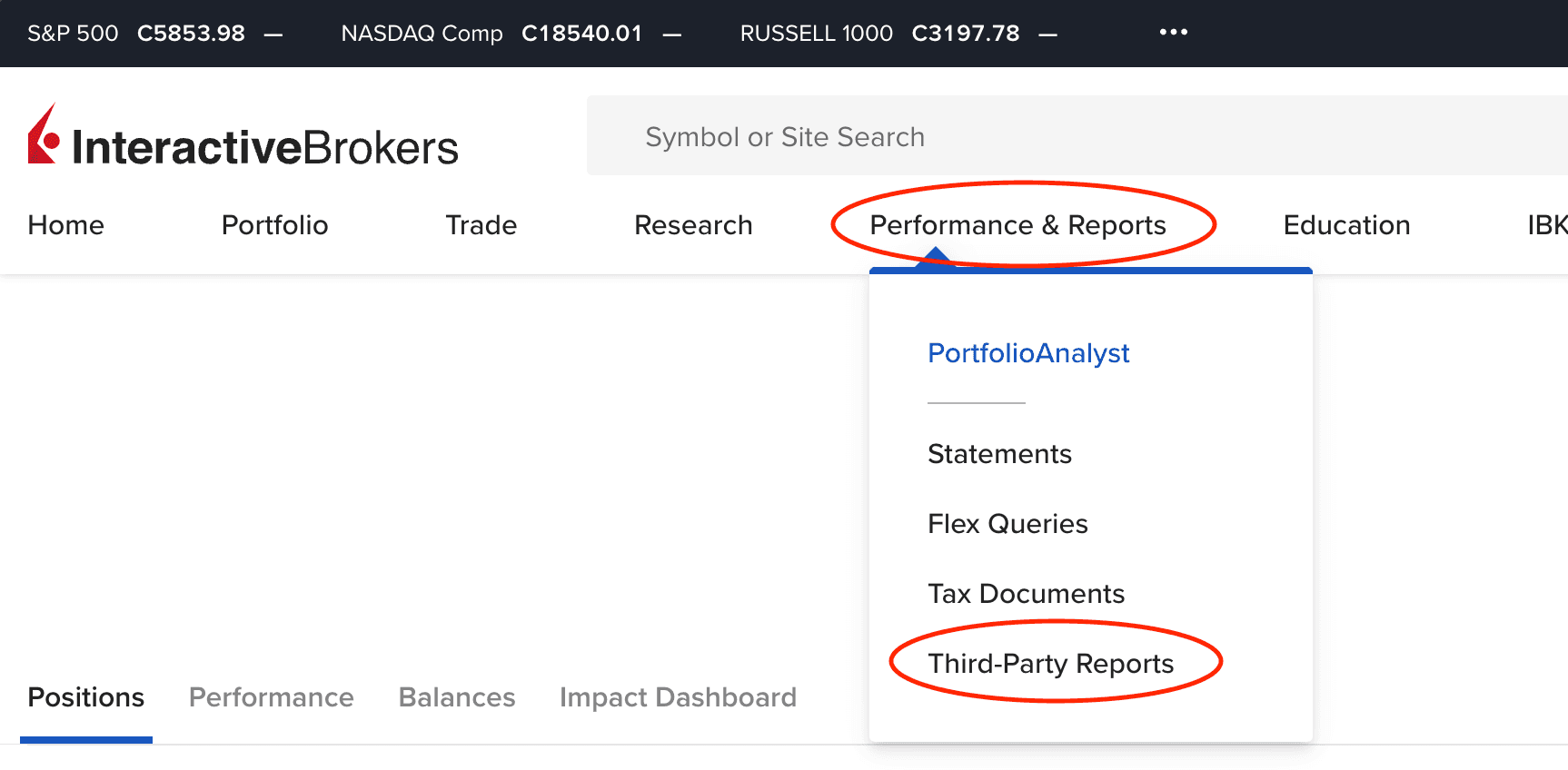
- Log in to Interactive Brokers on the web. From the menu, open
Performance & Reports, thenThird-Party Reports.
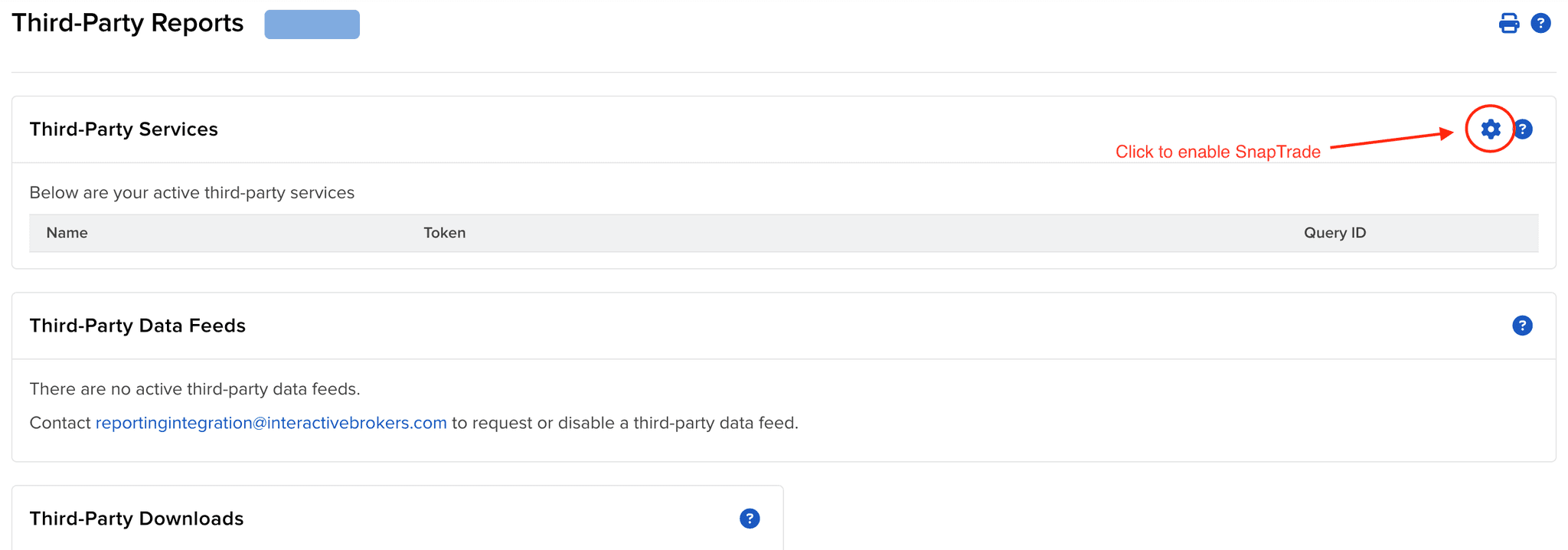
- Under
Third-Party Services, click the gear icon.
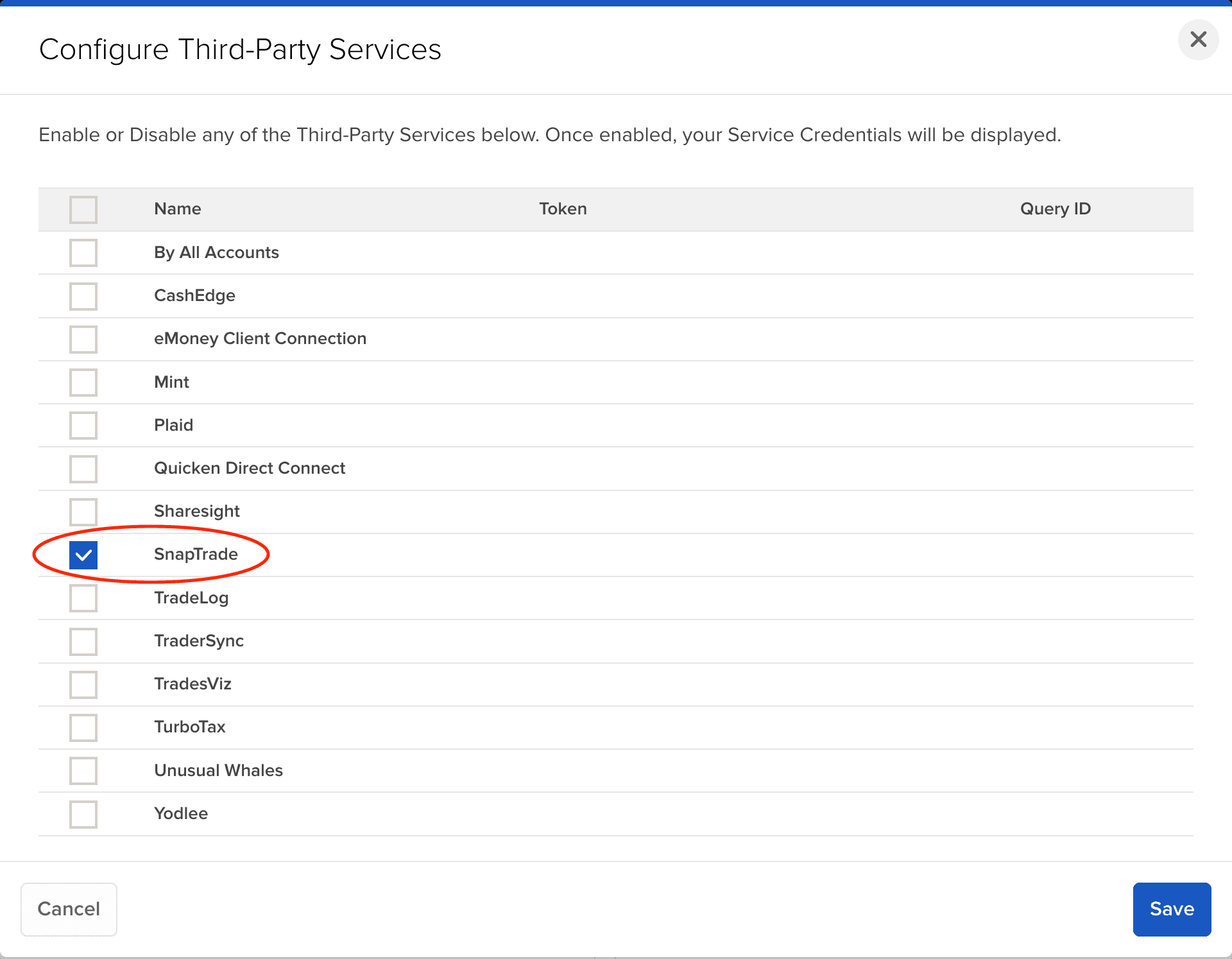
- Tick
SnapTradein the list and clickSave.
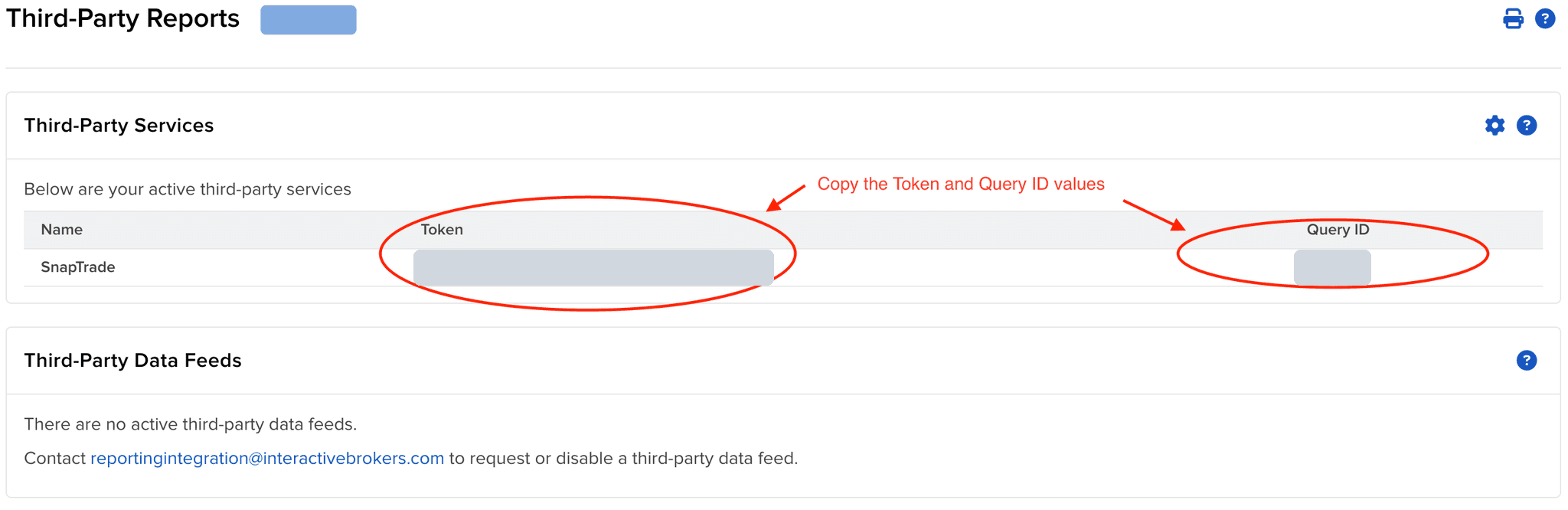
- SnapTrade now appears under Third-Party Services with a
Tokenand aQuery ID. Copy both.
Then, in Endute, open Manage Connections, click Link Investments, choose Interactive Brokers, and paste the Token and Query ID when the connection screen asks for them.
Screenshots: SnapTrade's Interactive Brokers guide.
What to expect
- The first data can take up to three days. Interactive Brokers usually takes 24 to 48 hours to start a newly enabled service, and sometimes longer. Meanwhile the connection shows
Retrieving your accounts, and we message you when the accounts are ready to map. If after two days it says it could not find any accounts, give it until the third day before telling us. - Holdings and activity run about a business day behind. Interactive Brokers releases account data early each weekday morning, US time, so Endute is usually a day behind its own app, and nothing new arrives at weekends or on US holidays. The prices of holdings we can match to a market listing still update daily from market data.
- Tracking starts on the day you connect. Your holdings come in as they stand, at the average cost Interactive Brokers reports (or that day's price where it reports none); trades, dividends and cash movements are tracked from then on.
- The connection lasts months, not forever. When it drops, click
Reconnecton the connection card and, if asked, paste the current Token and Query ID from the same Interactive Brokers page.
Read-only
The service you switch on shares reports only. Nothing connected here can place trades or move money.
Something else wrong?
If no accounts appear after 72 hours, or your figures disagree with Interactive Brokers, tell us. The brokerage sync guide covers mapping and disconnecting.